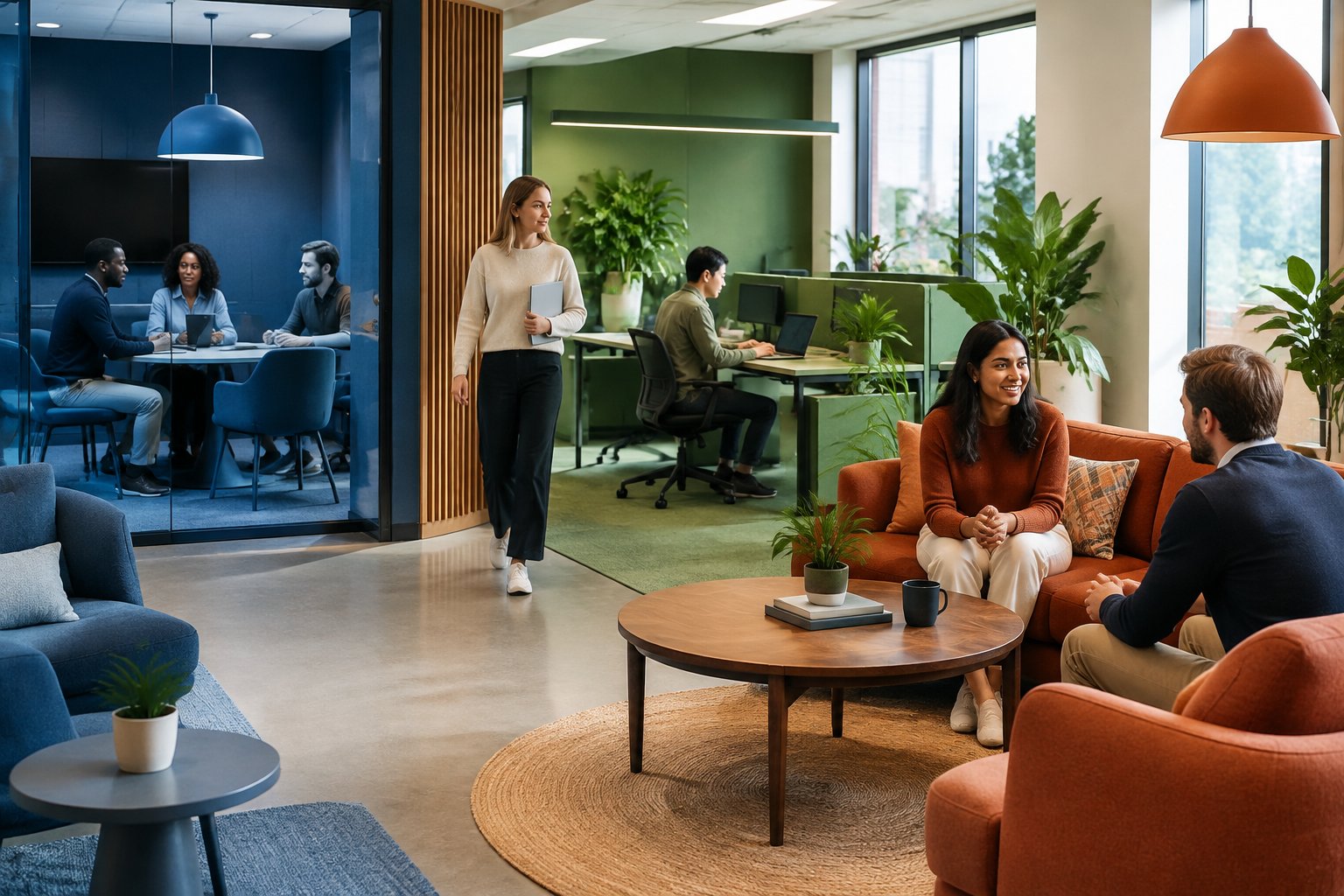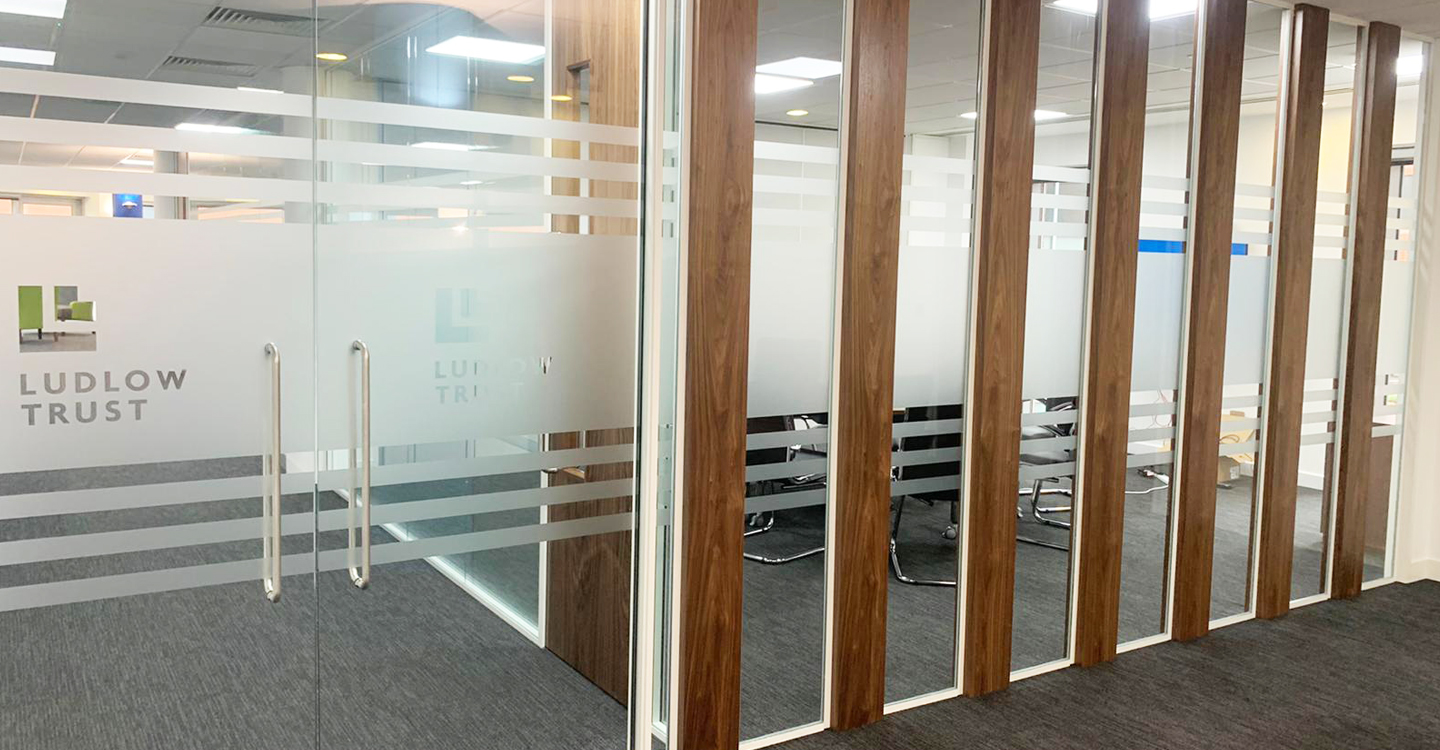
Does your office give your team room to concentrate, connect and take a quiet break? When you plan for neurodiversity, you recognise that people think, process information and respond to their surroundings in different ways.
You achieve inclusive office design by asking your team what they need and providing quiet spaces, adjustable lighting, clear signs and accessible workstations. These choices can reduce distractions, support comfort and help people focus. Giving your team more control over how they work is a practical way to create an inclusive workplace.
Key Takeaways
Ask your team what helps them work well.
Provide a range of spaces and adjustable settings.
Test changes with your team, then refine them.
Start With Individual Needs, Choice and Control
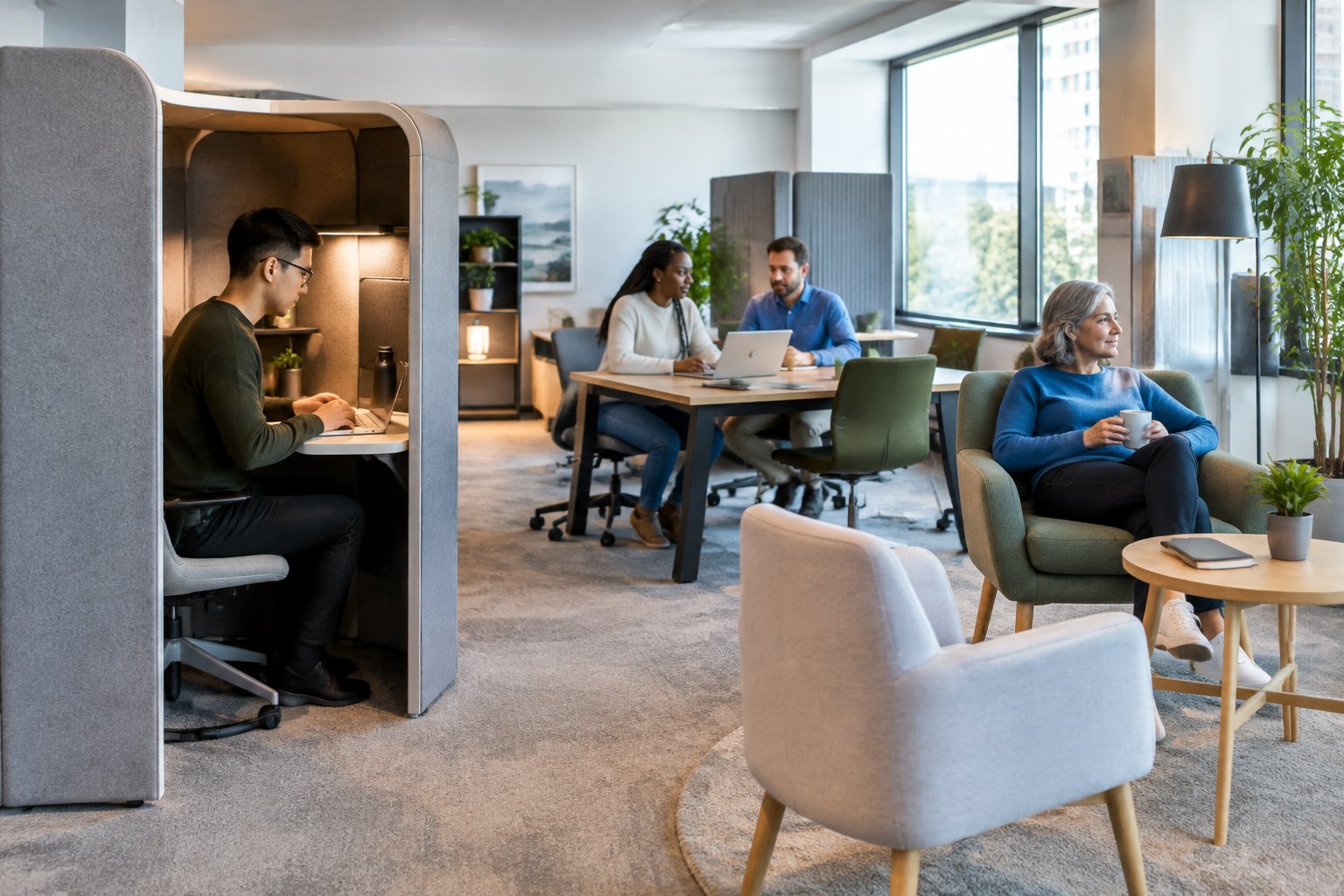
Give employees choices about noise, lighting, seating and privacy. Ask what they need to work well, protect personal information and combine accessible office features with individual adjustments.
Understand Different Cognitive and Sensory Needs
Neurodiversity describes differences in how people think, learn and process information. Your team may include people with autism, ADHD, dyslexia or dyspraxia, as well as people with other neurological conditions.
These labels don’t tell you everything about someone’s needs. Sensory processing varies from person to person, and one individual’s needs may shift depending on their tasks or energy levels.
Offer employees practical choices:
Sound: quiet rooms, acoustic screens and separate areas for calls.
Light: adjustable task lights, blinds and seating away from glare.
Layout: clear routes, readable signs and uncluttered work areas.
Focus: enclosed spaces for detailed work and shared spaces for teamwork.
Make these options easy to find and use. Employees should be able to choose the settings that suit their work.
Consult Employees Without Requiring Diagnostic Disclosure
Ask employees what helps them work comfortably and what gets in the way. Specific questions can help, such as “Which sounds interrupt your focus?” or “Where would you like more privacy?”
Offer a few ways to respond: anonymous surveys, private conversations or written feedback. Some people may find it easier to explain their needs with time and space, rather than in a group.
Keep design feedback separate from requests for medical information. You don’t need someone’s diagnosis to find out that a desk faces glare or a meeting area feels too noisy.
Explain who will see the feedback and how you’ll use it. Invite neurodivergent employees to test proposed changes, share the decisions you make and check whether the results meet their needs.
Combine Universal Design With Individual Adjustments
Use universal design to make your office accessible to as many people as possible from the start. Include step-free routes, clear signs, adjustable desks and a choice of work settings.
Build choice into everyday routines. Make it easy for employees to book quiet spaces, adjust suitable lighting and access written meeting information before discussions.
Some people will need additional individual adjustments. These might include an agreed desk location, noise-cancelling headphones, speech-to-text software or extra space around a workstation.
Set out a clear process for requesting support, with a named contact and agreed review dates. Check how each adjustment works in practice, particularly after office moves, role changes or new equipment. Make room for these changes in your wider office budget.
The Benefits of Removing Workplace Barriers

When you reduce noise, improve access and offer choices about where people work, you make it easier for everyone to take part. These changes can support concentration, build a stronger sense of belonging and give employees more ways to share their skills.
Support Concentration, Comfort and Wellbeing
In an inclusive office, employees have access to quiet areas, adjustable lighting and suitable seating. These options can help people manage distractions and physical discomfort during tasks that require sustained attention. Keep quiet spaces away from kitchens, printers and busy walkways.
People also spend less effort coping with their surroundings. For neurodivergent employees who experience sensory overload, control over light and sound may reduce stress. Clear signs and predictable layouts can make the office easier to navigate.
Offer these choices without asking staff to share a diagnosis. They can support different needs across your team, including those of people with migraines, temporary injuries or changing health needs.
Strengthen Belonging, Recruitment and Retention
Employees are more likely to feel they belong when they can reliably access the spaces and tools they need. Step-free routes, accessible toilets and varied work settings help staff use the office more independently. A clear process for requesting adjustments also gives people a straightforward way to raise concerns.
Your workplace design helps shape a candidate’s first impression, too. Explain access arrangements before interviews and offer a quiet meeting room. It gives applicants time to prepare and shows you take their needs seriously.
An inclusive workplace may help with retention by reducing avoidable discomfort and frustration. Ask employees which barriers affect their working day, then respond to what you hear. Review adjustments as roles, teams and individual needs change.
Enable Collaboration and Diverse Contributions Without Stereotyping
You make collaboration more accessible by providing different ways to contribute. Pair meeting rooms with quiet spaces for preparation, and use shared documents to collect written input. Share agendas early so employees have time to organise their thoughts.
Don’t assign strengths or preferences based on a diagnosis. Neurodivergent employees have varied skills, interests and support needs. Ask each person what helps them contribute, and let them choose where and how they work.
In a modern workplace, clear speech, readable screens and layouts that accommodate mobility aids can help more people participate. These details may also help you hear from colleagues who find fast-paced discussions difficult, giving the team more ideas and experience to draw on.
Reduce Sensory Overload Through Environmental Control
You can reduce sensory overload by giving people control over light, noise, smells and temperature. Adjustable settings, quiet spaces and simple finishes help support different sensory sensitivities across your office.
Balance Natural Light With Adjustable, Low-Flicker Lighting
Make natural light available, but use adjustable blinds to control glare. Position screens at right angles to windows and choose matt desk surfaces to limit reflections. Offer desks with different light levels, so people can choose what works for them.
Pair dimmable lighting with adjustable desk lamps so staff can set the brightness they need for each task. Choose low-flicker fittings, and check their performance throughout the dimming range. Some LED lights flicker more at lower settings.
Avoid flashing decorative lights, which can trigger seizures in some people with photosensitive epilepsy. Check for faulty lamps and unwanted flicker during maintenance. Ask staff about lighting discomfort, and give them a way to report problems without sharing medical details.
Use Acoustic Design to Limit Noise and Distraction
Use acoustic design to tackle sound at its source and limit how far it travels. Install sound-absorbing ceiling and wall panels, along with suitable flooring. Keep printers, kitchens and busy walkways separate from desks used for focused work.
Provide quiet rooms for individual work and enclosed rooms for calls. Check door seals and partitions, as gaps can let speech travel between spaces. Make quiet rooms easy to book, with clear rules on calls, conversations and interruptions.
Offer noise-cancelling headphones where they’re suitable for the task and safety requirements. Check with staff before adding background sound; it may simply create another distraction for people with sensory sensitivities. Review noise levels while the office is in use, especially during busy periods.
Manage Smells, Temperature and Ventilation
Keep kitchens, bins and printing equipment away from main work areas. Maintain ventilation systems and remove sources of lingering smells. Choose low-odour paints, adhesives and cleaning products, and schedule strong-smelling maintenance work for when the office is unoccupied.
Set a clear policy on scented products and skip plug-in air fresheners. Give staff a private way to flag smells that cause discomfort. Keep food storage and waste areas clean, with closed bins and regular collections.
Support sensory regulation with temperature controls for separate areas, working blinds and seating away from draughts. Ask staff which areas feel too hot, cold or stuffy, then check conditions before making changes. Keep vents clear and service heating and cooling equipment as scheduled.
Choose Colours, Patterns and Natural Elements With Care
Use muted colours on large surfaces and limit busy patterns on walls, carpets and furniture. Keep signs clear, with readable text and strong contrast. Give staff storage for loose items to cut down on visual clutter around their desks.
Take colour psychology claims with a grain of salt: people respond differently to the same colour. Test samples in your actual lighting and ask staff what they think. Use colour consistently to help people find rooms and navigate your office.
Apply biophilic design, which brings natural features into office interior design, through outdoor views, wood finishes and selected plants. Choose plants without strong scents and keep them healthy. Leave clear routes around planters, and offer simpler spaces for staff who find extra detail distracting.
Provide Distinct Spaces for Focus, Collaboration and Recovery
Give your team separate places for focused work, group discussions and short breaks. Clear boundaries, adjustable lighting and accessible layouts help people choose workspaces that suit their tasks and sensory needs.
Separate Quiet Zones From Busy Social Areas
Place quiet zones away from kitchens, printers, entrances and meeting areas. Enclosed rooms, sound-absorbing ceilings and acoustic panels can help limit noise travelling between spaces. Position desks away from busy walkways to reduce movement in people’s view.
Set expectations with simple signs and shared rules. Keep calls and group discussions in designated collaboration areas, and provide enough meeting space for teams to follow those rules.
In a flexible workspace, give staff a reliable way to find a quiet desk. Keep some spaces open for unplanned use, and avoid routing foot traffic through them. Ask your team whether noise is still disrupting their work, then adjust layouts or sound control measures.
Offer Quiet Rooms and Optional Low-Stimulation Retreats
Provide quiet rooms for tasks that require privacy or sustained attention. Equip them with a desk, supportive chair, power sockets and adjustable lighting. Set clear booking rules so staff know how to access the rooms and how long they can stay.
Give people access to a separate, optional low-stimulation retreat for sensory regulation, or managing responses to noise, light and other sensations. Choose soft lighting, muted finishes and simple furnishings. Keep the room free from phone calls, strong scents and background music.
Let staff use the retreat without having to explain a diagnosis or personal need. Agree on privacy rules and add an occupied sign. Check that doors open easily and users have enough room to move comfortably.
Create Accessible Breakout and Wellness Spaces
Design breakout spaces for informal chats, shared meals and short breaks. Offer seating at different heights and with varying levels of support, including chairs with arms. Leave clear routes and space beside tables for wheelchair users.
Keep lively breakout spaces separate from calmer wellness spaces. In wellness rooms, provide comfortable seating, adjustable light and privacy for rest or agreed health needs. Set clear rules for rooms with several uses, including how staff book them and keep them clean.
Make these spaces easy to find with readable signs and step-free access. Ask your team about barriers, such as heavy doors, crowded furniture or noisy locations. Review feedback after making changes so your flexible workspaces remain useful as staff needs shift.
Make Navigation Clear and Predictable
Help your staff find desks, meeting rooms and toilets through consistent layouts, readable signs and clear routes. Pair landmarks with words and symbols so people have more than one way to find their destination.
Use Consistent Layouts, Landmarks and Clear Sightlines
Keep key features in predictable positions throughout your office. Place room names beside entrances at a consistent height, and use the same sign positions on each floor. This supports wayfinding, the process of finding your way through a space.
Give people clear views of entrances, main corridors and reception from key decision points. Keep tall storage units and screens away from junctions where they might block views.
Choose a few distinct landmarks, such as artwork beside the lifts or a clearly named seating area. Use them in directions and on maps. For staff who find unfamiliar spaces stressful or have difficulty planning routes, these fixed reference points can make it easier to reach a destination.
Combine Readable Signs With Visual Cues Beyond Colour
Use short, familiar words on signs, with plain lettering and strong contrast between text and background. Choose a text size suited to the viewing distance, and avoid glare, decorative fonts and blocks of capital letters.
Support your wayfinding and signage with:
Words and symbols: pair “Toilets” with a recognisable toilet symbol.
Names and numbers: give each meeting room a unique label.
Colour and shape: pair a coloured zone with a distinct symbol.
These visual cues give staff several ways to recognise a location. Clear spacing and simple wording can help readers with dyslexia. Keep labels consistent across door signs, floor maps and booking systems, and place directions before junctions so people have time to choose their route.
Keep Routes and Shared Facilities Accessible
Apply universal design by planning routes that work for people with different movement, sensory and learning needs. Provide step-free access to desks, meeting rooms, kitchens and toilets, and clear signs for lifts and accessible facilities.
Keep corridors clear of loose cables, deliveries and furniture. Allow enough space for wheelchair users to pass and turn, following local access requirements. Avoid sudden level changes and busy floor patterns that can make edges harder to judge.
Clear routes also support people with dyspraxia, which affects movement and coordination. Keep shared equipment in fixed locations, provide clear space around doors and label storage. If you change a route or move a facility, update signs and maps at the same time and tell your staff beforehand.
Give Employees Control Over Their Workstations
Give your team adjustable furniture, a choice of shared or assigned desks, and secure storage close to their work areas. These options help employees manage comfort, distractions and daily routines.
Provide Adjustable Furniture and Ergonomic Equipment
Choose height-adjustable desks and chairs with adjustable seat height, back support and armrests. Give employees enough room to move their legs and position equipment within easy reach, including when they use mobility aids.
Provide monitor arms, separate keyboards and mice, and footrests where needed. These tools allow employees to adjust screen height, reach and posture to suit their bodies and tasks. Offer simple controls and clear instructions for each item.
Ask your employees what works for them, then arrange individual workstation assessments where needed. Neurodivergent employees have varied sensory and movement needs, so offer choices such as a desk in a quiet area or room to change position. Check in on comfort once staff have used the equipment.
Make Hot Desking Optional Where Predictability Is Needed
Use hot desking as one option in a flexible workspace. Keep assigned desks available for employees who need a stable location, familiar surroundings or equipment that takes time to adjust.
For some neurodivergent employees, looking for a desk and facing a different setting every day can add stress. Give your staff a private way to request a regular workstation, and explain who handles those requests.
Make shared desks predictable with clear booking rules, labelled zones and accurate information about available equipment. Let employees book a suitable desk in advance, and keep essential adjustments in place where possible.
Ask each person about their needs. Review arrangements when their tasks, health or preferences change, and agree on any changes before moving their workstation.
Offer Personal Storage and Easy Workstation Set-Up
Place secure lockers or drawers near workstations so your employees have a reliable place for personal equipment. Leave space for headphones, keyboards and other items they use to stay comfortable and focused.
Equip shared desks with clearly labelled connections, accessible power sockets and easy-to-adjust monitor arms. Use matching equipment across desks to cut down on the time your team spends learning new controls.
Provide a short set-up checklist with pictures and plain instructions. Help employees record their preferred desk height, chair settings and screen position so they can restore them quickly.
Keep routes to storage clear, and offer storage at different heights. Give your employees enough time to set up before starting tasks, especially when they move between desks.
Connect Physical Design With Accessible Digital Working
Your quiet rooms, meeting spaces and desk controls should work alongside accessible software. Give staff clear booking tools, suitable assistive technology and control over their surroundings, with clear limits on data collection.
Support Hybrid Working With Accessible Meetings and Tools
For hybrid working, equip meeting rooms with clear microphones, adjustable cameras and screens that show remote colleagues. Test the sound from every seat, including spaces used by wheelchair users.
Choose meeting tools that support live captions, keyboard controls and screen readers. Share an agenda and accessible documents in advance, so people have time to prepare and process information.
Let your staff contribute through speech, chat or written comments after a meeting. Agree on clear turn-taking rules so people can follow the discussion without competing to speak.
Use headings, plain language and readable text in shared files. For staff with dyslexia, offer text-to-speech and adjustable display settings. Record meetings only with appropriate permission, and provide written decisions and actions for easy reference.
Provide Assistive Technology and Usable Booking Systems
Offer staff assistive technology that suits their needs. Options include screen readers, speech-to-text software, text-to-speech tools and alternative keyboards. Check that these tools work with your email, document software and booking systems.
Make support easy to request through a private process. Provide training and access to someone who can resolve setup problems, so the equipment stays useful in day-to-day work.
Your desk and room booking system should describe noise levels, lighting, step-free access and available equipment. Include photos and clear labels so people can choose a suitable space before they travel.
Make sure staff can complete bookings using a keyboard or screen reader. Avoid colour-only status labels and short time limits. Offer a staffed booking option for anyone who needs a hand.
Use Smart Controls Without Removing Manual Choice or Privacy
Use smart building technology to adjust lighting, temperature and ventilation across your office. Where practical, give staff simple local controls, such as dimmers and blinds, and explain which settings affect shared areas.
Keep manual switches within easy reach and clearly labelled. Offer an accessible wall control alongside any phone app, giving staff more than one way to adjust their space.
Set clear limits on workplace sensors. Explain what you collect, why you need it, who can access it and when you delete it.
Where they meet your needs, opt for room-level occupancy counts. Consult staff before introducing tracking, and assess the privacy risks. Test controls with neurodivergent and disabled colleagues to shape an inclusive workplace around their daily needs.
Implement, Test and Improve the Design
Start with staff feedback and low-cost changes, then set clear requirements for your office fit-out. Published examples can help shape trials, but check how people experience the finished space for yourself.
Audit Existing Barriers and Prioritise Affordable Changes
Walk through your office with employees who have different sensory, mobility and communication needs. Look for noise, glare, crowded routes, unclear signs and access to quiet rooms. Offer private ways to give feedback, so neurodivergent employees can describe barriers without sharing a diagnosis.
Record each issue, where it occurs and which task it affects. Rank changes by impact, cost and urgency, addressing safety and access requirements first.
Start with practical steps: move noisy equipment away from desks, repair flickering lights, reduce clutter and mark quiet areas clearly. Try changes in one area before rolling them out across the office. Give each action an owner and deadline, and let staff know how to report problems that remain.
Build Inclusion Into the Office Fit-Out Brief
Turn staff feedback into written requirements for your designer, contractor and furniture supplier. Your office fit-out brief should set out step-free routes, adjustable desks, clear signs and a choice of spaces for focused work and conversation.
Be specific about lighting controls, sound control and room booking. Explain which spaces need privacy, who will use them and how staff will access them during the day.
Test samples and layouts before approval. Ask employees to try chairs, desk controls, lighting options and signs. Include neurodivergent employees in voluntary sessions, with clear questions and time to respond. Keep agreed features in the budget, and check proposed substitutions against the brief before approving purchases.
Learn From HOK and Other Published Design Examples
Explore HOK’s published work on neurodiversity and workplace design to see how different sensory needs might be addressed. Look for ideas around choice, lighting, sound and spaces with varying levels of activity, then compare them with other published examples of inclusive office design.
For each example, note the problem, design response and any reported employee feedback. Before adopting an idea, check whether the office size, work patterns and budget are a good match.
Treat photographs as a starting point for questions about day-to-day use. A quiet room needs suitable sound control, clear booking rules and a useful location. Test the feature with your staff, and record what you change to suit your office interior design and working needs.
Measure Employee Experience and Refine After Occupation
Gather a baseline before work begins, then repeat the same checks once employees have settled in. You might review feedback after six weeks and again after six months. Ask about noise, lighting, comfort, finding rooms and access to suitable workspaces.
Combine short, anonymous surveys with voluntary interviews and observations of how people use the space. Track specific measures, such as reported noise problems, quiet-room availability and satisfaction with lighting controls. Take care to protect privacy when reviewing feedback from small groups.
Assign someone to review the results and fund follow-up changes. Adjust room rules, furniture positions or lighting settings when feedback points to barriers. Share completed actions with staff, and repeat checks when teams, tasks or office layouts change.
Frequently Asked Questions
Step-free routes, adjustable lighting, sound control and a choice of work areas can help support different needs. Staff feedback will help you choose changes that improve comfort and make focused work easier.
What are the key principles of inclusive office design?
Give staff clear routes, accessible facilities and furniture that suits different bodies and tasks. Use readable signs, easy-to-reach controls and enough room for wheelchair users to move freely.
Offer choices in lighting, seating and noise levels. Ask staff about their access needs, then check how well the space meets them.
How can office layouts support neurodivergent employees’ needs?
Create separate areas for focused work, meetings and social activity. Keep busy walkways away from desks where staff need to concentrate.
Use clear signs and a consistent layout to help people find their way around. Offer a choice of desks, as well as familiar, assigned spaces for anyone who needs a predictable routine.
How do lighting, acoustics and colour choices affect sensory comfort at work?
Glare, flickering lights and sudden noise can cause discomfort or disrupt concentration. Provide blinds, adjustable task lights and lighting with low flicker.
Use sound-absorbing ceilings, wall panels and floor finishes to reduce echo. Choose calm colours and simple patterns for large surfaces, and use clear colour contrast around doors, signs and changes in floor level.
What role do quiet zones and flexible workspaces play in an inclusive office?
Quiet zones give staff space to focus or take a break from noise and activity. Set clear rules for calls and conversations, and keep these areas away from kitchens and busy routes.
Flexible workspaces let staff choose a setting that suits the task. Provide quiet desks, private rooms and shared tables, with a simple booking system and clear rules for use.
How can employers involve neurodivergent staff in office design decisions?
Ask staff what helps them work comfortably through private surveys, individual conversations and optional workshops. Let people share their needs without requiring them to disclose a diagnosis.
Invite staff to test lighting, chairs and desk layouts before committing to purchases. Explain which suggestions you’ll use, then ask for feedback after the changes.
What are the benefits of inclusive office design for employee wellbeing and productivity?
Reducing noise, glare and access barriers can help staff feel more comfortable and spend less time managing their surroundings. Offering a choice of work settings can also support concentration, teamwork and breaks.
Track the results through staff feedback, comfort surveys and reports of distractions. Then use what you learn to guide further changes to the workplace.